Showing posts with label iPhone. Show all posts

Tuesday, September 29, 2009

All Clear

Okey, doke. Lesion out and the margins are clear. The dermatopathology fellow was kind enough to give me a tour of my biopsy. It turns out that one *can* use an iPhone for photomicroscopy as long as one's expectations aren't too high.


Here is a chunk of my normal skin at medium power. I took this by just holding my iPhone 3GS up to the microscope's eyepiece. By no means diagnostic, but good enough for blogging purposes.

Once they stitch me up, I'll head over to my office and work on ARRS and AUR abstracts like a crazed ferret for the rest of the afternoon.


The Smell of Long Pig in the Morning

Turns out I'm live-blogging my outpatient surgery today via my iPhone.


I'm having a minor skin lesion removed today in our university's rather slick dermatology outpatient surgery center. The drill here is:

1. Remove the lesion
2. Take a 45 minute break while a dermatopathologist processes and analyzes the tissue.
3. Repeat until the margins of the lesion are clear.

I'm grateful for this built-in break. I came to my appointment NPO (ate nothing after midnight) and I'm hungry.

To make matters worse, the electrocautery unit they use to stop the minor bleeding creates a smell that is disturbingly similar to barbequed pork.

I used my first break to run to the espresso stand next door for a bite. There I spotted a "bacon, sausage, egg and cheese, French toast bagel sandwich" for sale. No shit. However, like a car wreck you can't turn away from, I just couldn't stop looking at it. OK, OK, I bought the damned thing.

However, the unwillingly tasty scent of sizzling long pig was still fresh in my nostrils. Fresh enough, that when the espresso lady asked: "Can I heat that up for you?", I had to say,

"Uhhhh… No!"

Sunday, August 9, 2009

Mysterious iProd in the Works...

This just in from Ars Technica:
An updated USBConfiguration.plist in the most recent version of iPhone OS 3.1 beta offers compelling evidence that Apple has continued development on an unknown device, referred to as "iProd," that was first discovered in March.
The mind boggles.

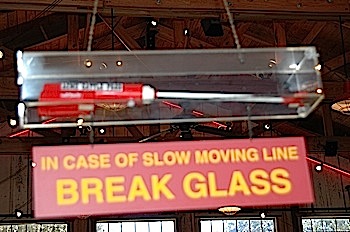
Of course, my mental image of an "iProd" may be a bit skewed, having grown up in the ranch country of West Texas. Out there, a prod is a sort of cow taser, used by some to herd stubborn animals. We preferred positive incentives -- a shake of a feed bucket is all it took to make our cattle come running. The only cattle prod I've seen in several decades is the one hanging over the waiting line in Rudy's, my favorite Austin barbeque spot.

RudysProd.jpg

Of course, I would never actually use an iProd at work. As with cattle, so with radiology residents -- I prefer positive incentives, such as chocolate.

However, one would look swell hanging up in our reading room over the PACS stations. Until I find out the identity of Apple's latest mystery device, I'll keep an eye peeled for something similar on the iTunes Store. As the Apple ads say, "there's an app for everything..."

Wednesday, July 22, 2009

Autostitching the Big Apple v 4.0

Since it was next door to our hotel, we took a college tour of the Juilliard School this morning. Looks like a swell place, but probably not the best fit for my son, whose musical tastes, shall we say, are somewhat orthogonal to most Juilliard norms. I did use part of the tour time to grab this quick Autostich panorama of the Paul Recital Hall there, using 6 images:


Then we hopped the D train up to the Bronx, and watched the Yankees beat the Orioles 6 - 4. It's a very nice stadium -- if they can consistently fill it up with enough hungry and thirsty fans every game, they might just be able to make payroll on their team of millionaires. I grabbed two panoramas -- an exterior view (3 images), and an interior view (28 images):


The Orioles hit two successive home runs in the last inning, which elicited some interesting crowd behavior from the Yankee fans.

The first was caught by a lady about 50 feet from us. The Yankees fans began yelling, "Throw it back! Throw it back!" Then, when she tossed it back to the left fielder, they all cheered. We were puzzled by this behavior, so my brother quizzed a local about it. Apparently, home run balls hit by Yankees are highly prized and kept. Balls hit by opposing teams are regarded as offal, and are expelled back onto the field as waste.

The same thing happened with the next home run ball to right field. From our left field seats, it looked like a mighty amoeba snarfing up a food particle and then spitting it back out in disgust.

Tuesday, July 21, 2009

Autostitching the Big Apple v 3.0

I hope it doesn't seem as if I've gone completely off the deep end about Autostich here in NYC. It never came up at all during most of the things we did today, including several tasty meals, the Hayden Planetarium show or the Broadway production (Westside Story) we saw this evening.

However, we also spent the afternoon at the wonderful American Museum of Natural History, where there were way too many large photogenic objects that were beyond my ability to resist. Here are my favorites, along with the number of images I used to create them.

Ginormous Northwest Native American dugout canoe, 6 images:


Same canoe, different angle, 3 images:


Views from both ends of the Hall of Biodiversity -- a stunning way to convey the concept of just how many species we have on this planet, 4 and 5 images, respectively:


Beryl exhibit in Hall of Minerals. Stills like this are easy to get with the iPhone even in low light -- pasting the phone against the glass case steadies it as well as any tripod -- 7 images:


Ichthyosaurus skeleton, 2 images:


Pterodactyl skeleton, 2 images:


Brontosaurus, 8 images:


Tyrannosaurus rex, 8 images:


Stegosaurus, 12 images:


Triceratops skull, 4 images:


Triceratops skeleton, 4 images:


Mammoth and mastodon skeletons, 4 images:


Tomorrow, Autostitch meets the new Yankee Stadium!

Monday, July 20, 2009

Autostitching the Big Apple, v 2.0

I tried out a few more panoramas again today in Manhattan, using my iPhone 3GS and Autostich.

The image on the left was built from four shots of a tower crane which was hauling up a big container of wet cement up many stories into the sky. The waviness of the tower is, fortunately, an artifact of the process, as well as my inexact positioning of the camera.

Vertical panoramas seem to be a weak point of Autostitch -- at least when one is pretty close to the subject. The following shot of Rockefeller Center (built from 11 shots) demonstrates this well -- the actual main building is much taller than it appears here. Autostitch's big brothers may well have settings to control for this prominent shortening effect.


While the kids were sacking and pillaging the M&M and Hershey store in Times Square, I stayed outside and shot 20 shots that were combined into the following panorama, covering about 135 degrees. The black areas in this and the prior shot make it easy to see where I should have gathered a bit more data.


My most successful shot was the sign at the Staten Island Ferry. The algorithms in Autostitch had little trouble with a purely horizontal pan. Four shots were combined to form this image.


Despite some of the distortions revealed with these shots, I'm quite happy with the results. I'll try to grab a few more panoramas while we're here. The Yankees vs. Orioles game on Wednesday afternoon in the new stadium should be a fine time to experiment.

Sunday, July 19, 2009

AutoStitching the Big Apple

We just spent the day visiting a few cultural icons here in Manhattan. This seemed like a fine time to play with a new iPhone app called Autostich, which merges multiple separate pictures into a much larger panoramic image.

I've actually used one of this program's big brothers (Calico) for several years to stitch together mountain photos from my big Nikon into cool panoramas. Both programs are based on image-processing research from the University of British Columbia, which has licensed its algorithms to other developers, including Industrial Light & Magic. We also use similar software at work to stitch together life-sized vertical panoramas of the entire human spine from several smaller shots.


To kick things off, here are 4 iPhone 3GS photos of the Time Warner Center at dusk...


The resulting AutoStitched panorama shows a bit of distortion, but still looks pretty swell.


With a bit of PhotoShopping, it looks even better.


We visited the 5th Avenue Apple Store, which is extremely keen for many reasons. Even in a town with a lot of eye-grabbing architecture, this store stands out.


All of the action at this 24 x 7 x 365 store takes place in a giant underground room beneath the cube. Here's a hasty 6-picture panorama of this store, which earns more money per square foot than Tiffany's:


We also spent some time at the American Museum of Natural History. Here's a panorama of the foyer, which is filled with dinosaurs, including a big brachiosaur. This image was stitched together from fifteen 3.0 megapixel images.


My one-word review: awesome.

It's been quite a while since I have gotten so much pleasure for a buck ninety-nine. It's also pretty incredible to know the sort of image-processing power I now carry in my pocket.

Holy crap.

Saturday, July 18, 2009

In-Flight WiFi -- At Last!!

Boy, do I love red-eye flights. Not. We just took one from LA to New York on an American Airlines 767. Great plane, great weather, great flight, and great service, but still -- a red-eye.

The intrinsic horror of this kind of trip was mitigated somewhat by learning that the plane had WiFi available for $5.95 per flight. I've somehow always missed flights that featured this, but finally hit the jackpot last night. I did sleep for a few hours along the way, but spent at lot of time at both ends of the flight consuming internettage via my iPhone 3GS.

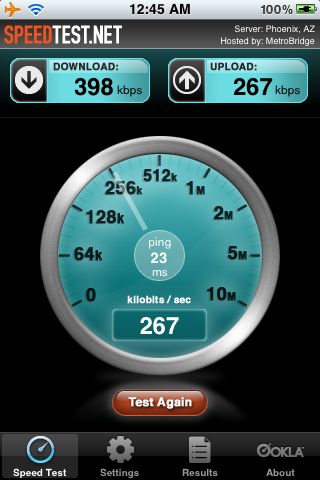
The bandwidth was not too shabby. Here's a speedtest.net screenshot from not too long after takeoff:

IMG_0479.PNG


My brother's family awoke to a pile of short messages and screenshots sent during the flight, such as the following:

photo.jpg


Somewhere over Pennsylvania, I checked the bandwidth again. Much zippier downloads this time, probably because all of the other bandwidth hogs were now lying obtunded elsewhere in the plane.

photo.jpg


Of course, your mileage may vary -- things might be a lot different during a blue-eye flight, when a whole planeload hits YouTube at the same time.

Hopefully, WiFi up high will soon spread to most major flights. I would love to used to this service, and think $6/flight is a good value. I just hope I never get as jaded as the dudes nailed by Louis CK below...


Wednesday, July 15, 2009

Buy Art Instead

I spotted this bumper sticker a few weeks ago at a fiddle festival in Port Townsend, WA, and grabbed a quick snapshot with my new iPhone 3GS.


As a radiologist, I'm a real sucker for anatomic art. I wish I could find out more about this bumper sticker -- however, I can't find anything about "Pindellopia" on Bing or The Google.

Hmmmm....

Tuesday, July 14, 2009

Oleophobia

I've spent entire years without ever uttering the word "oleophobic".

That changed a few weeks ago when I upgraded my iPhone 3G to a 3GS. There's a lot to love about the new hardware and software goodies added to this phone.

However, I find some of the subtle touches even more impressive. My favorite is the iPhone's new oleophobic screen. The roots "oleo" (fat) and "phobic" (fearful) tell it all -- the coating on the screen repels oils, particularly fingerprint oils.

In two years of iPhone usage, the cumulative finger oils I've left on my screens probably weigh more than the iPhone itself. The new screen doesn't completely eliminate fingerprints and smears, but it sure cuts them down a bunch. Even when they finally become noticeable, a quick swipe on my shirt clears them off right away.

This humble feature is pretty addictive, and like most addictions, makes you want more, more more... What I want more of is oleophobic screens everywhere else in my life: on my laptop screen, on my flat screen TV, on my PACS workstation, on my kitchen appliances, and on my car's windshield. But most of all, what I really want to know is:

Dude, where's my oleophobic glasses??!!

Wednesday, July 8, 2009

Capo -- Cool Tool for Musicians or Radiology Residents

If you are a musician, the word "capo" brings to mind the device that we guitar and banjo players clamp on the necks of our instruments to change key.

However, Capo also refers to a new and rather swell Mac program for learning tunes from recordings. Capo does this by playing a torrent of music at a speed slow enough for one to comprehend. Here's the really cool thing: it does this without changing the pitch of the music!

The following screenshot shows Capo playing "Heather Bonne", a swell tune I snagged last week at a jam session at the Festival of American Fiddle Tunes.


As a fiddle player, I learn a lot of tunes from field recordings made at festivals, jam sessions and concerts. Although I'm a quick study, some intricate or especially twisty tunes are a lot easier to learn when slowed down in this way. Then, once I've worked out the notes, I can play along with the original at a slower speed until I've learned it well enough to play it at full speed.

Capo is not the first Mac program to do this job. I've used The Amazing Slow Downer and Transcribe for years. These fine programs work quite well, but their interface clearly shows their original Windows roots. Capo, on the other hand, was born on the Mac, and is simply gorgeous. It also ably meets the classic Mac software test: "Can I use this without reading the instructions?"

How is this relevant to radiology? The fiddler in me would answer, "Bite me -- who cares!" However, the radiology geek in me would point out that music isn't the only thing you can slow down with this application. If I were the sort of person who transcribed lecture notes or speeches, Capo would be a huge help.

I could also imagine using this app for learning other languages. I suspect that Capo would work pretty well in slowing down foreign language broadcasts to a more understandable pace. It may also be useful among native English speakers separated by their common language. As a long-displaced Southerner, I have gotten pretty good at decoding the Uzi-paced speech patterns of Yankees. However, newly displaced immigrants from below the Muffin-Biscuit Line may find Capo handy for this now and then.

But wait, there's more: Capo is currently on sale at half-price. I paid full price when I bought it a while back, but am now considering grabbing a few extra licenses as gifts for deserving pals.

The only thing that would make Capo even better would be to release an iPhone version. I've suggested this to Capo's developer, so don't touch that dial...

Tuesday, July 7, 2009

Back in the Saddle Again...


I spent much of April through June preparing for many talks at many meetings, which involved 3 trips to the East Coast in one month. Great fun, but a bit draining.

To recharge, I just spent all of last week with my son at the wonderful Festival of American Fiddle Tunes in Port Townsend, WA.

I first went to Fiddle Tunes back in 1985, and have been back many times since. This year I spent my mornings in a truly excellent swing fiddle workshop by Kevin Wimmer, afternoons in an exhilirating bandlab led by the Red Stick Ramblers, and evenings until real-late-thirty jamming with pals. After a week of this much fun, going back to work was actually kind of restful.

Besides spending many hours pushing an analog stick back and forth over an analog sound box, I spent a few hours recording some highlights with my new iPhone 3GS and my Flip Mino HD recorder. In past years, I've taken several bags of technology along with me to this festival. This year, it was mostly a bag of chargers for the items above, and a laptop to dump files to every night.

The 3GS came pretty darned close to being the One True Device last week. Besides tuning my fiddle, its built-in video recorder grabbed a lot of fine musical homework for me for the rest of the year. In previous festivals, I've recorded tons of audio. However, video is light-years better -- the 3GS let me record not only the music, but also the bow strokes, fiddle finger positions, guitar and banjo chords, body language, and smiles of the musicians. It would be pretty hard to go back to mere audio files alone after this.

It's also very nice to have the time and energy to blog again.

Ahhhhh........

Wednesday, March 11, 2009

Lots of Kindle News Lately

There has been a torrent of news lately on Amazon's Kindle, and I've had little time to write about it. For those who have been living in a cave, here's a quick summary and a few links.

Kindle 2

David Pogue has a favorable review of the Kindle 2. The title of his post sums it up pretty well: "Good Before, Better Now".

For comparison, he also recently reviewed the Sony PRS-700 e-book reader. He liked some of the design features, but gives the nod to the Kindle because of its wireless connection and Amazon's much larger collection of e-books.

I now have a Kindle 2, and will blog later about my experience with it, particularly with respect to how it does with displaying medical images (short version: improved, but still not optimal).

Kindle 2 text-to-speech controversy

One of the coolest features of the Kindle 2 -- built-in text-to-speech conversion -- has excited a bit of controversy among members of the Author's Guild. AG president Roy Blount wrote a recent opinion piece expressing the AG's point of view. I'm of two minds about this. On the one hand, I'm very sympathetic to an author wanting control of one's intellectual property. On the other hand, while the Kindle's computer voice is nice, it's no Jim Dale. Some books are at their best when read by someone as compelling as Mr. Dale; others are just fine read by a Kindle. There's a part of me that feels "Dude, if your performance can be replaced by a Kindle, you deserve to be."

In any event, it looks like Amazon will leave it up to authors and publishers as to whether the text-to-speech function is enabled on a given work on a case-by-case basis.

Kindle App for iPhone

photo.jpg

The biggest news, though, is that Amazon just released a free reader application for the iPhone. This app lets one read any book in the Kindle library without having to buy a Kindle.

This is huge.

I've had a Kindle reader for over a year now, and read from it daily. However, the iPhone is always in my pocket, and follows me places that the Kindle never will. In general, the app works really, really well, with only minor syncing bugs.

I'll give a more in depth report on the iPhone app in later post, particularly on how it handles gray scale images (short version: great!).

Several pundits (1, 2) have pointed out that by releasing the iPhone app, Amazon is giving away the razor but hoping to make a zillion dollars selling razor blades. I agree. No one outside Amazon really knows how many Kindles have so far been sold (possibly up to 500,000). However, this number is dwarfed by the millions of iPhone now out there. In one swell foop and with minimal marginal cost, Amazon has multiplied its potential customer base for books manyfold. Brilliant.

I also enjoyed a recent review of the Kindle iPhone app by Glenn Fleishman of TidBITS.

Thursday, March 5, 2009

I've Been Programming

I haven't posted much lately, mostly because I've been tightly focused on a computer programming project. Let's just say that programming is easily as jealous a consort of one's time as blogging.

I've programmed personal computers ever since my first Radio Shack TRS-80 Model I back in 1976. I got my first Apple II a year later, and have stayed in the Apple fold ever since. Since 1976, I've programmed in Basic, Fortran, assembly language, several machine languages, Pascal, Python, S, R, C, Perl and a few others.

For the past few years, I've been closely eyeing Ruby, a relatively new language, but haven't had the right incentive to dive into it. However, there's nothing like building a cool, new project to learn a new language.

I've spent much of my academic time in the past two weeks writing a web-based text-to-speech application in Ruby. My goal: type in the volume, issue and page number of some article in a major radiology journal and get back an .mp3 version of that article, read by a fairly decent computerized voice.

It turned out to be a lot easier than I thought it would be, even with a few years of web-apps under my belt. Ruby is a fine language, with a fine library of built-in tools, making it easy to scrape a whole web page with just a few lines of Ruby code. For example, the following code is all that's necessary to grab a whole article from the American Journal of Roentgenology and assign it to the variable ajr_html:
urlRaw = "http://www.ajronline.org/cgi/content/full/"
+ ajrVolume +"/" + ajrIssue + "/" + ajrPage
ajr_url = open(urlRaw)
ajr_html = ajr_url.read
I have recently become a big fan of text-to-speech conversion. In December, I discovered a new Mac program called Textcast. Since then, I've used Textcast to make one or two hundred podcasts for my iPhone from NY Times articles and various blogs I follow. These have been a major defense against boredom during my work commutes -- sort of like having an NPR station where all the stories are interesting.

The only issue I have with Textcast is that it is optimized only for pages from Safari or NetNewsWire. If I want to use it to grab and convert an article from AJR or Radiology, I need to first do some serious hand-scrubbing of the text from their websites before I can feed it into Textcast. I got pretty tired of this after laundering a few articles by hand. My new Ruby script takes virtually all of the drudgery out of this process.

Now that I've refined my program into a reasonably stable version, I've asked several of my residents, fellows and fellow faculty to do some alpha testing. Once I get their feedback, I'll write it up for one of our radiology journals. Might as well get some academic mileage out of it.

Tuesday, February 3, 2009

Putting the P in iPhone

iToilet.png

I often listen to my iPhone while editing my radiology reports. At other times, I carry my earbuds draped around my neck like one of those internist dudes carrying a stethoscope.

This backfired last week during a call of nature, when my earbuds slid off my neck right into the line of fire, shall we say.

Oddly enough, the Apple website doesn't have a single tech support note containing the word "urine".

So, I cleaned and dried my desecrated earbuds as best I could, using simple nearby tools. Once I felt safe putting them back in my ears, the left earbud was dead.

The main silver lining for me is that the iPhone itself stayed in my pocket. Otherwise, I have a feeling that this would have totally voided, so to speak, my warranty.

Friday, December 26, 2008

Text to Speech Just Got a Lot Easier

A new program called Textcast has just made it a lot easier for Mac users to produce audible speech from text files.

If you are a geek like me, your reaction to this is probably, "Dude, we've been able to do this for years."

If you're not a geek, then your response is more like, "Dude, who cares?"

Valid points, both. Let me first suggest why a non-geek would care about this technology. In a nutshell, text-to-speech software is part of my anti-boredom survival kit. Although I am endlessly capable of entertaining myself, my capacity for self-amusement is pretty limited when I'm driving.

I spend at least an hour per day in my car, commuting or running errands. This interstitial part of my life can be pretty darned boring. To keep from going nuts while driving, I listen voraciously to all sorts of audio files, including NPR broadcasts, podcasts and audio books.

However, for all the stuff that I can listen to, there are a zillion other things I'd love to hear but that just aren't available in audio format. For example, I'd love to be able to listen to newspaper stories and radiology journal articles in my car. This is where text-to-speech programs come in.

Text-to-speech software has come a long way. In the old days (5 years ago), most of these programs sounded about as lifelike as Gorgo the Space Robot. Fortunately, things are getting better. Nowadays this software is not only inexpensive, but produces fairly decent speech [1].

For the past few years I've been using several "voices" by Cepstral, which cost me a whopping $30 apiece for the premium editions. Depending on your tastes, they will sell you male or female voices speaking not only with American, but also British, German, Scottish, Italian French and Spanish accents.

Besides the vocal quality, another thing I like about Cepstral voices is that I can control them via the command line. If I want my computer to chat about its urinary habits in a British accent, I just type:
swift -n Lawrence -o ipee3.wav -p speech/rate=150,speech/pitch/shift=0.9 "I pee three times a day"
Urinals-iStock_000007496317Medium-small.jpg

With several similar commands, I can automate the following process: 
  1. grab a page of text from my web browser and save a copy in a folder on my computer
  2. convert a whole folder of these text files into speech
  3. shove these speech files into iTunes
  4. move all of these speech files to my iPhone
If you are a non-geek, this process may leave you a bit cold. In fact, you'd probably rather take out your own spleen through your nose than write a shell script. For you, there is salvation, courtesy of BitMaki Software: Textcast will do all of this heavy lifting for you for $25.

I haven't yet figured out how to get Textcast to use any of my Cepstral voices, but it will use any of the built-in voices on my Mac, including a rather nice voice called "Alex". To my ear, Alex sounds at least as good as any of my Cepstral voices.

Some Clean-up May Be Necessary...

1. Convert the print version of a webpage

Textcast generally does a fine job of converting webpages to speech. However, it will convert every frakking bit of text on the page into speech. This includes headers, navigation bars, URL's, and other cruft. One easy way to clear a lot of this stuff off the page is to select a "print" version of that page, if available. For example, just about every article in the online version of the New York Times has a link to display that article with the headers, footers and nav bars stripped off.

2. Connecticut and Maryand must die!!

It's the odd radiology journal article that doesn't have the abbreviations "CT", "MD" and "MR" sprayed liberally throughout. Unless you want to hear "Connecticut", "Maryland" and "mister" in a lot of unexpected places, replace these abbreviations with "computed tomography", "em dee" and "magnetic resonance imaging", respectively, before converting your articles to speech.

3. Do some quick hand-editing before conversion

Before you point Textcast or some other program at a text file, consider doing a bit more judicious hand-editing. It's usually easy to spot large piles of cruft and delete them. Unfortunately, this can quickly become waaaaaaay tedious. If you find certain recurrent patterns of cruft (i.e. tables of content) scattered throughout your text, a quick global search and replace may be just the thing. For more complex patterns, geeks will want to trot out their grep tool on the command line to properly flense their files.

4. Use a medical phonetic dictionary

Medical and other technical journals contain a boatload of jargon. Thus, for your average AJR article, Textcast or Cepstral will mispronounce these words as badly as a TV doctor. Cepstral can help prevent this by letting you create a custom phonetic dictionary of your own particular jargon. Alex can likewise be taught certain words using Apple's VoiceOver utility.

5. Use a voice with a foreign accent

Here's one final tactic to make your text-to-speech sound less like a robot -- use a voice with a foreign accent. That way, when a word is oddly pronounced, the accent will cancel out the brain's tendency to interpret it as a speech defect. Don't tell your friends that you used a computer to produce these files -- they'll just assume that the speaker is Texan... 


[1] I would even call it life-like, albeit like a live person with a mild speech defect.

Monday, December 22, 2008

MRI = Mind Reading Imaging?

Can you read someone's mind with magnetic resonance imaging (MRI)?

The short answer is: yes, of course -- we've done it for years.

However, don't get too spooked. The stuff that we are able to read has so far been extremely limited.

Consider the book as a metaphor for a brain. Until recently, we've only been able to read the shape of the book. However, functional magnetic resonance imaging (fMRI) has advanced to the point that we can now read some of the Cliff Notes of that book as well.

The latest issue of Neuron describes some fascinating work by Miyawaki et al: Visual Image Reconstruction from Human Brain Activity using a Combination of Multiscale Local Image Decoder. In this study, the authors presented simple visual patterns to volunteers. The authors were then were able to reconstruct the patterns seen from the volunteers' brains using fMRI. Check out the following reconstructed images:


As Michael Russell commented:
It looks like the JPEG compressor in the test subject's brain is set WAAAY too high.
Agreed. Even so: Wow.

The keys to this god-like power are topological maps of the cerebral cortex, such as the well-known sensory and motor homunculi first mapped out by Wilder Penfield.


It turns out that there are also retinotopic maps, connecting retinal stimuli to certain areas in the visual cortex. By imaging functional information directly from volunteers' occipital lobes with fMRI, Miyawaki et al were able to use such retinotopic maps to reconstruct what the subjects saw.

At the moment, it takes a lot of time and equipment to pull off this kind of mind-reading. So, by the time your coworker realizes that you've been undressing them in your mind, you will have already put their clothes back on and decided that they look a lot better that way.

In any event, this procedure will probably only work on information from the sensory and visual cortices, i.e. stuff that you are currently feeling or seeing. It won't work with stuff you are thinking or remembering.

No matter how many medical and legal uses we find for this technology, adolescent males of all ages will immediately leap to more prurient applications. What could horny geeks do with direct visual and sensory recording technology? The internet porn industry immediately comes to mind (so to speak).

For the moment it will be fairly easy to spot fMRI voyeurs -- just look for someone aiming a 7 foot ** roll of toilet paper at your skull. So, until this technology becomes a lot more portable, I won't be guarding my thoughts too closely. Sadly (or gladly), it will be a long time before nerds with iPhones can pull this off. However, that won't stop us from fantasizing about it...

(via Pharyngula)


** the approximate diameter of your typical fMRI scanner